 Virata
Type Stata syntax.
Python does the work.
The commands you already know — summarize,
regress, svy:, stcox — running on
pandas, statsmodels and scipy, on a computer with no Stata licence on it.
Free · Windows, macOS and Ubuntu · works offline once your licence key is activated · nothing from your data ever leaves your computer
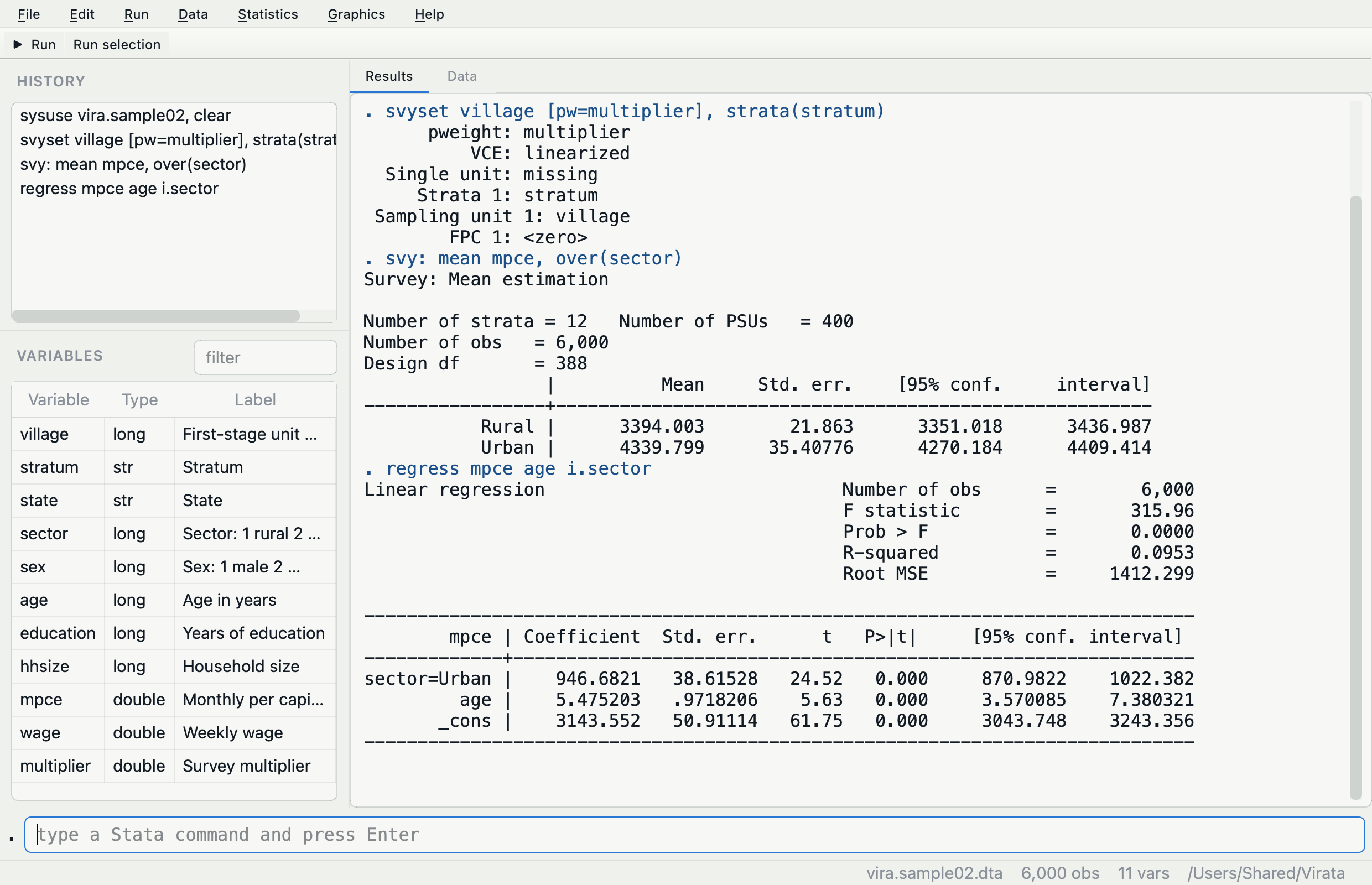
It answers in the layout you read fastest
Type the command, get the table — and, if you ask for it, the pandas
that produced it. set show python on prints the translation under every
result, so you pick up the other language while your actual work gets done.
What you get
Data management, tables, the regression family, and the parts that are hard to put together yourself.
Survey designs, taken seriously
Tell it the design once with svyset — weights, strata, clusters
— and svy: carries it into means, totals, proportions, ratios,
regression and cross-tabulations. Ignoring the design makes standard errors too
small, and nothing warns you.
Small numbers stay private
set mincell 5 hides table cells built from too few people, and audits
its own output to catch cells you could work back out. For anyone publishing
health, HR or education figures.
Three languages, one dataset
Stata syntax, ten dplyr verbs with set language r, and
Excel's SUMIFS family inside generate. Each keeps its own
rules about missing values, on purpose — and the manual says where they
differ.
Survival and time series
stset, Kaplan–Meier curves, log-rank tests and Cox regression;
tsset, moving averages and seasonal decomposition.
22 chart types
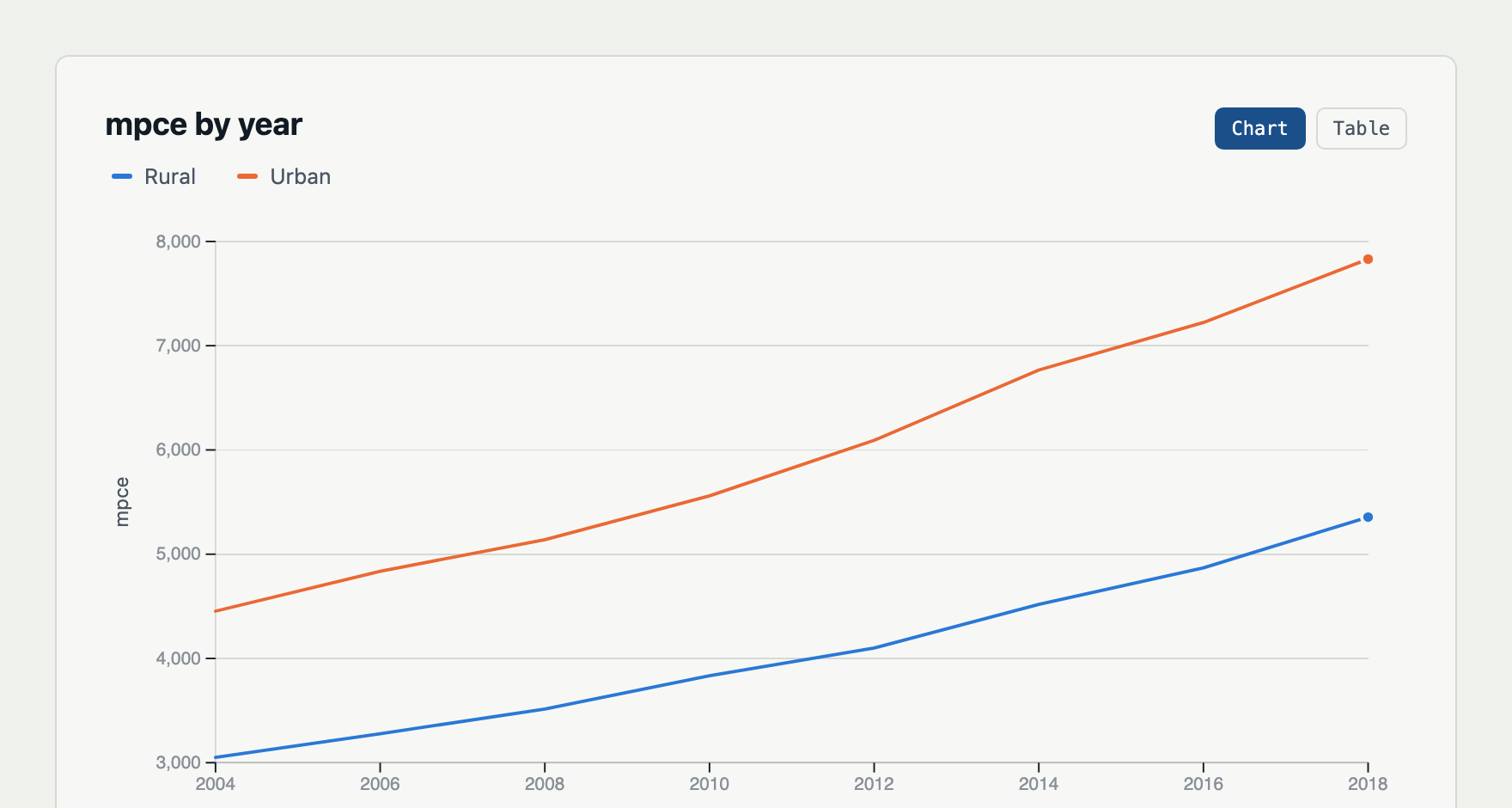
Every number is worked out in Python; the page only draws. Charts save as single HTML files you can email, and each one carries the command and the data that made it.
A manual, not a wiki
124 pages, one per command, in plain English with the technical term in brackets. Every example on every page is run each time the manual is built, so the output you read is the output you get.
Download
Version 0.3.3. Install it, then get a free licence key — it takes a minute and needs one email address.
Windows
Windows 10 and 11, 64-bitWhy isn’t it here?
Built and tested from the same source as the other two -- the Windows installer just is not packaged yet. Check back soon, or use macOS or Ubuntu today.
macOS
Apple silicon, M1 and later Download for macOS Disk image · 116 MB“Apple could not verify Virata”?
Expected: Virata is not signed with an Apple Developer ID yet, so macOS cannot check who made it. Nothing is wrong with the file.
- Click Done — not Move to Bin.
- Open System Settings › Privacy & Security.
- Scroll to Security, find “Virata” was blocked…, click Open Anyway and confirm with your password or Touch ID.
- Open Virata again and click Open.
Right-click › Open no longer works for this on current macOS. When Virata offers to move itself into Applications, macOS may ask once more for the moved copy — the same steps again. After that it opens normally.
Ubuntu
Ubuntu 22.04 and later, 64-bitWhy isn’t it here?
Built and tested from the same source as the other two -- the Ubuntu package just is not packaged yet. Check back soon, or use macOS today.
Where we are plain with you
Statistical software that overstates itself is worse than useless. Here is the state of this one, in the same words we would use to a colleague.
Checked against R — never against Stata
Results are compared, number by number, with R's survey,
survival, stats and dplyr packages, and the
manual says which ones. Nothing here has been compared with Stata itself,
because we do not have a Stata licence to compare against. We would rather say that
than let you assume otherwise.
Not everything is built yet
Panel data (xtset, xtreg), ARIMA and Stata's date formats
are not in this version, and a few options are accepted that should be refused.
Every page of the manual opens by saying what that command can
do today and what is still coming, and the known bugs are written down rather than
hidden.
Not code-signed
Windows and macOS will warn you that they cannot tell who made this, because certificates cost money we have not spent yet. To confirm a download is exactly the file we published, check it against the published checksums.
Your data stays where it is
Virata does the statistics on your own machine and sends none of your data anywhere — which is the point, for anyone working on health, pay or student records. Signing up for a key stores your email address on our server so we can send it to you; that is the only thing we keep.